
Checking node connections#
When the AEN nodes cannot communicate with each other as intended, it can cause issues with you AEN platform installation.
Verifying server to gateway connectivity#
On the server, in the AEN navigation bar, click Admin to open the Admin Settings page.
In the Site Admin menu, select Data Centers:
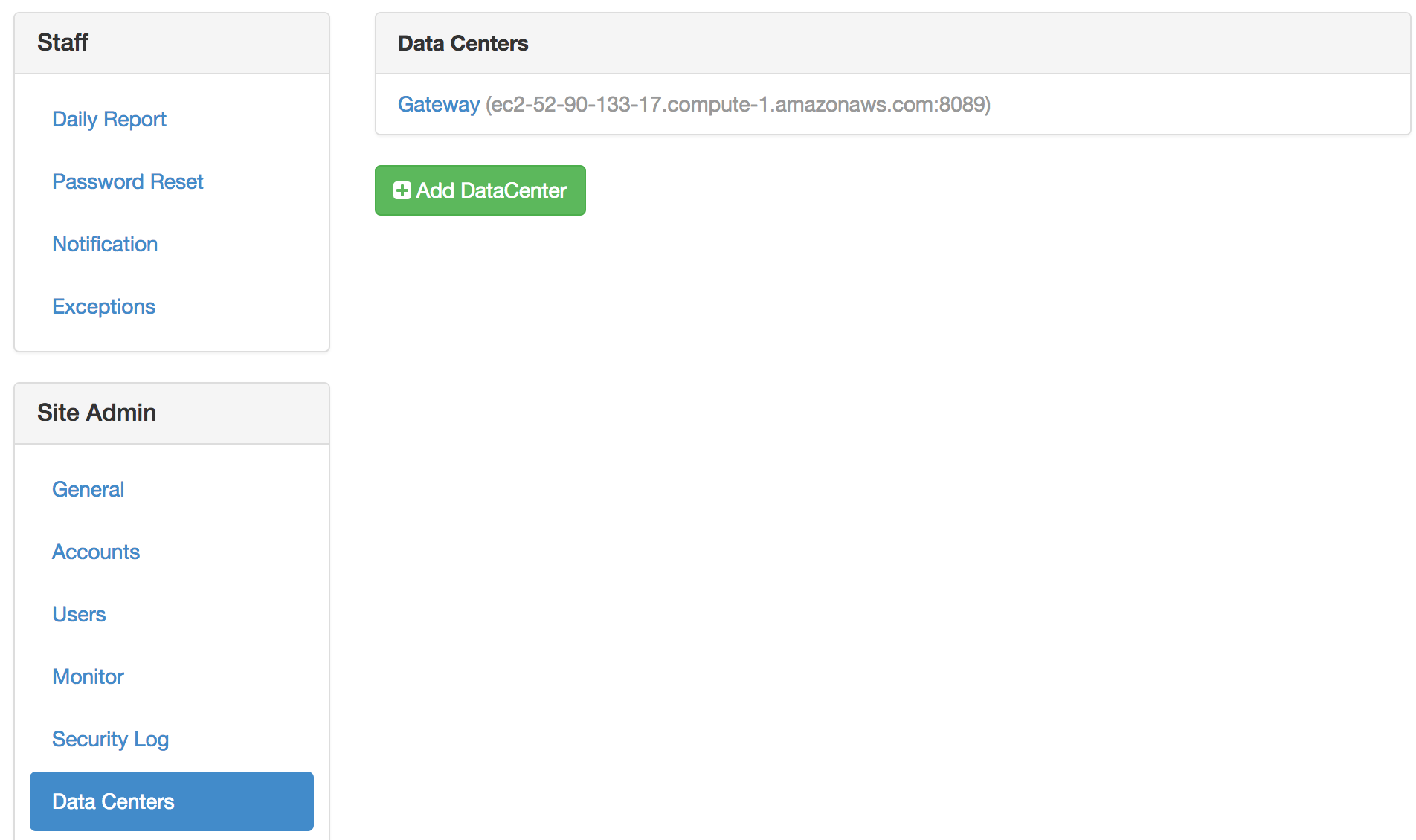
For each data center in the list, check connectivity from the server to that gateway.
EXAMPLE: The gateway in this example is
http://gateway.example.com:8089:root@server # curl --connect-timeout 5 http://gateway.example.com:8089 > /dev/null
Verifying gateway to compute node connectivity#
On the server, in the AEN navigation bar, click Admin to open the Admin Settings page.
In the Providers menu, select Enterprise Resources:
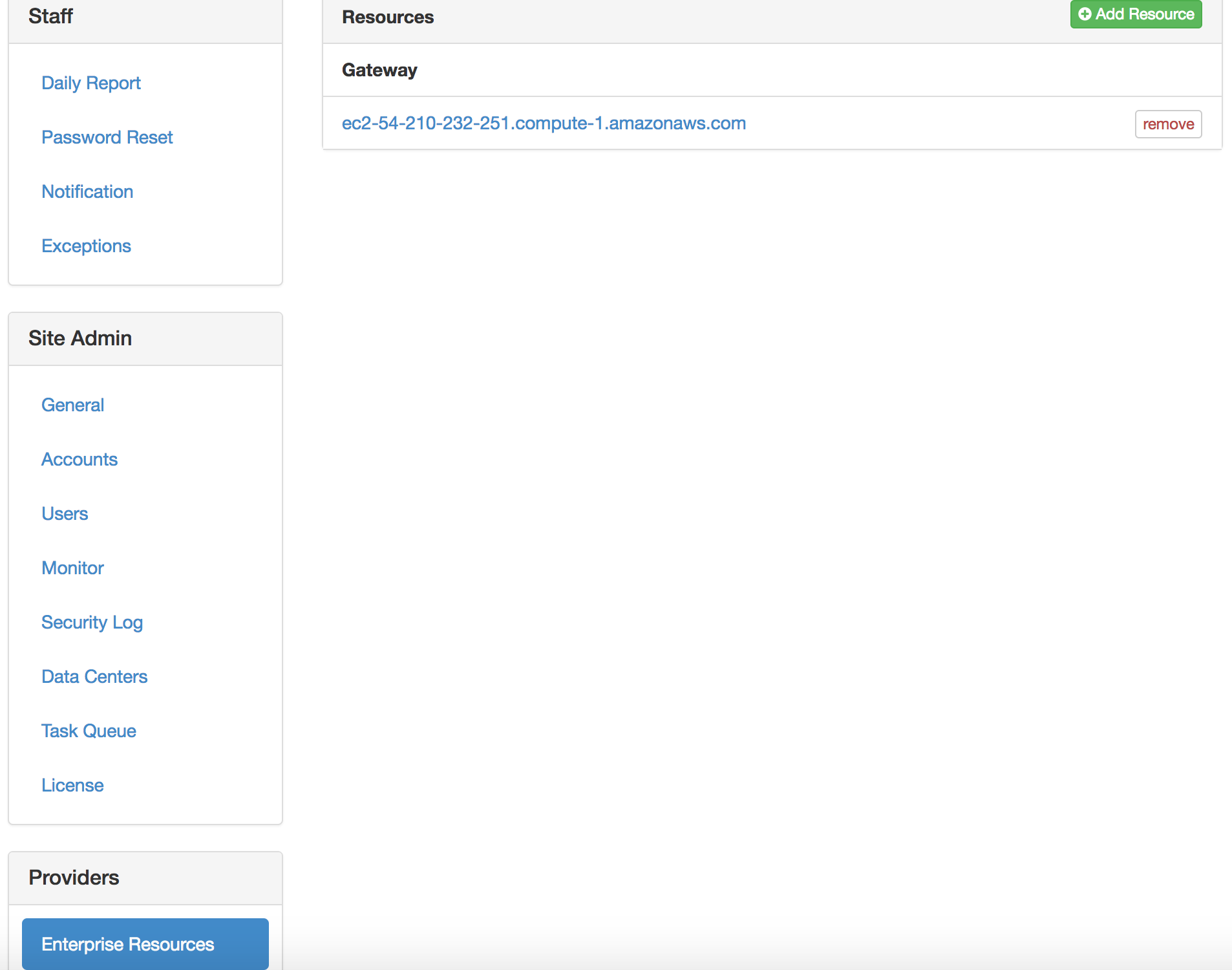
Open each compute node in the Resources section.
Verify that the contents of the URL field begin with either
httporhttps.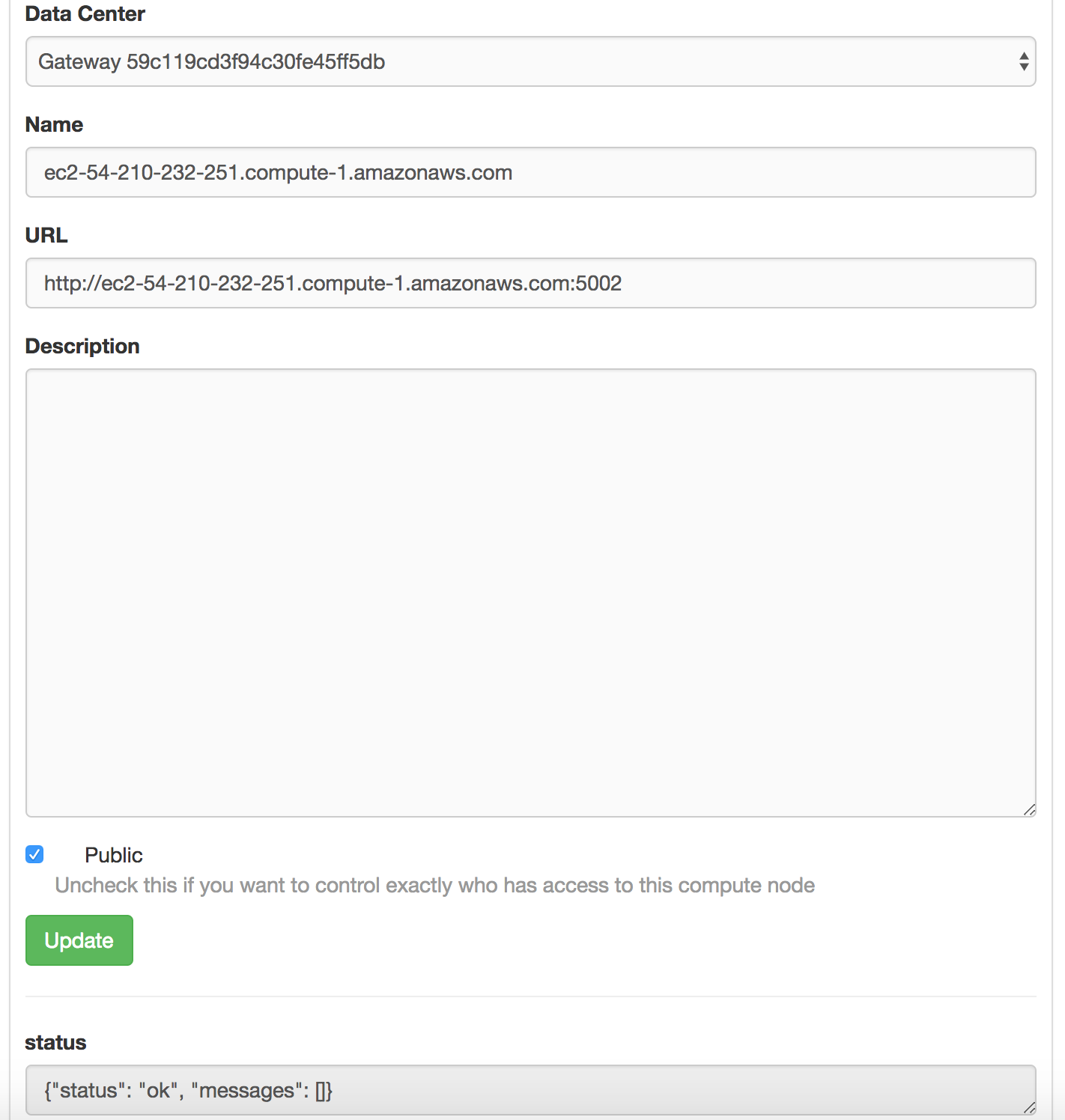
Check connectivity to that URL from the corresponding gateway.
EXAMPLE: The gateway in this example is
http://gateway.example.com:8089:root@gateway # curl --connect-timeout 5 http://compute.example.com:5002 > /dev/null
Verifying gateway to server connectivity#
The gateway-to-server path is used by the gateway configuration
command wk-gateway-configure.
Verify that the gateway is linked to the correct server in the configuration file.
Verify that the full server URL is specified.
Check connectivity to the server:
root@gateway # grep WAKARI_SERVER /opt/wakari/wakari-gateway/etc/wakari/wk-gateway-config.json
  "WAKARI_SERVER": "http://wakari.example.com",

root@gateway # curl --connect-timeout 5 http://wakari.example.com > /dev/null
root@gateway # curl --connect-timeout 5 http://error.example.com > /dev/null
curl: (7) Failed to connect to error.example.com port 80: Connection refused
If a connection fails:
Ensure that gateways (data centers) and compute nodes (Enterprise Resources) are correctly configured on the server.
Verify that processes are listening on the configured ports:
$ sudo netstat -nplt
Active Internet connections (only servers)
Proto Recv-Q Send-Q Local Address   Foreign Address State  PID/Program
tcp        0      0 *:80            *:*             LISTEN 26409/nginx
tcp        0      0 *:22            *:*             LISTEN 986/sshd
tcp        0      0 127.0.0.1:25    *:*             LISTEN 1063/master
tcp        0      0 *:5000          *:*             LISTEN 26192/python
tcp        0      0 127.0.0.1:27017 *:*             LISTEN 29261/mongod
tcp        0      0 *:22            *:*             LISTEN 986/sshd
tcp        0      0 127.0.0.1:25    *:*             LISTEN 1063/master
Check the firewall setting and logs on both hosts to ensure that packets are not being blocked or discarded.